The Racine Camera Club
Welcome to the Racine Camera Club. We are a hobby club consisting of a group of photographers in the Southeast Wisconsin area with a wide range of skills, from beginners to advanced amateurs and a few professionals.
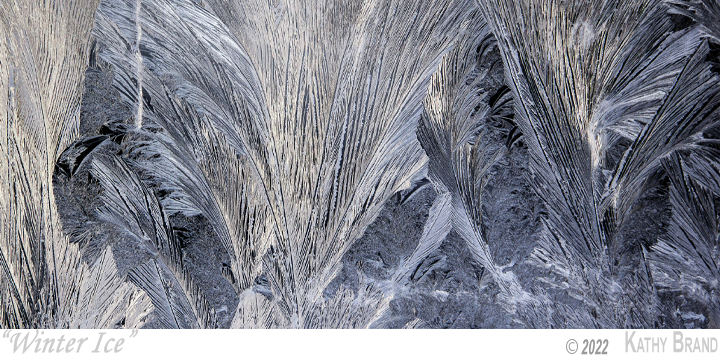
We all share a common love and passion for photography, whether it be landscape, portrait, macro, action, still life, night or even astrophotography. Images created by our members can be found all over this website. All of the images in the random banner at the top of our pages were created by RCC members. We present galleries of images from our competitions and outings, as well as some members’ personal galleries of images.
You can also find us on Facebook.
The 2026-2027 Season
The 2025-2026 season has started. Our first meeting of the year happened today, September 11, 2025 with our next meeting on October 9, 2025. Look for information on the upcoming meeting and season through the Facebook group of the same name.
Leadership
- President: Wes Fallon
- Vice President: Tom Leih
- Treasurer: Mary Krajnak
- Secretary: Celia Schulz
- Directors:
- David Fabian
Our Meetings
The club meets the second Thursday of every month, September through June, from 7PM to 9PM. The meetings are going to be held at the Gateway Buildings in downtown Racine and via Zoom. We want to ensure that our members, and guests that want to join our meetings remain as safe as possible.
Attending & Joining
The Racine Camera Club does not charge money to attend the meeting in person or online. We invite anyone who has an interest in photography to attend our meetings, no matter what your skill, knowledge or experience level might be. You do not have to be a paying member to attend our meetings. You do have to be member to compete in our competitions, semi-annual competitions or to hold an elected office in the club.
If you wish to attend the Zoom meeting but are not a member please send a request to racinecameraclub@gmail.com. You will be sent an invite to the Zoom meeting for that month. Information on how to become a member can be requested through the same email address.
Information on Joining the club can be found in the “About Us” section of this web page.
Related Organizations
RCC is a member club of the Wisconsin PSA, which is a chapter of the Photographic Society of America (PSA).
We are also a member club of the Wisconsin Area Camera Club Organization (WACCO).
Generative AI in photography competitions
The Racine Camera Club is an organization that promotes photography. Through the many years of our existence there have been technological changes that have redefined photography. The most recent major changes were the development of Adobe Photoshop (and comparable products) and digital cameras. The traditional film cameras have almost disappeared, and digital image manipulation software has been incorporated into the most basic of smartphone operations.
The Racine Camera Club has accepted the use of this technology in photos entered into competition, but its use has been limited to removing unwanted elements, cropping or other minor adjustments to the original image. The photographers themselves limited their use of the software capabilities to be able to convey the subject of their image in a manner that they chose. At the core, it was still a photograph that they captured with their cameras.
Another major technology change is here that uses computers to create digital art from text prompts, this is commonly referred to as generative AI. Photo manipulation tools have also incorporated Generative AI to add or radically change elements of their existing photographs seamlessly into an image (i.e., sky replacement). The Racine Camera Club considers images that use generative AI to be digital art and not photography. As we are a photography club, not a digital art club, photographers that use Generative AI to manipulate their photographs should not enter them into the Racine Camera Club competitions. It will be up to the honesty and integrity of the members to send only photography into competitions.